For consultants and in-house leads running NIST CSF assessments
Two weeks of reading someone else's shared drive
You know the shape of it. A new NIST CSF engagement lands. Somewhere there is a folder with the client's policies in it, and some of those policies are current. You read all of them, interview whoever will sit still, and map what you find against the 106 CSF 2.0 subcategories.
Then you write it up.
Your judgement is what the client pays for. The reading is where the fortnight goes. NISTForge does a first pass of the reading and shows you what it found, so more of your time goes on the calls only you can make.
Start at the end
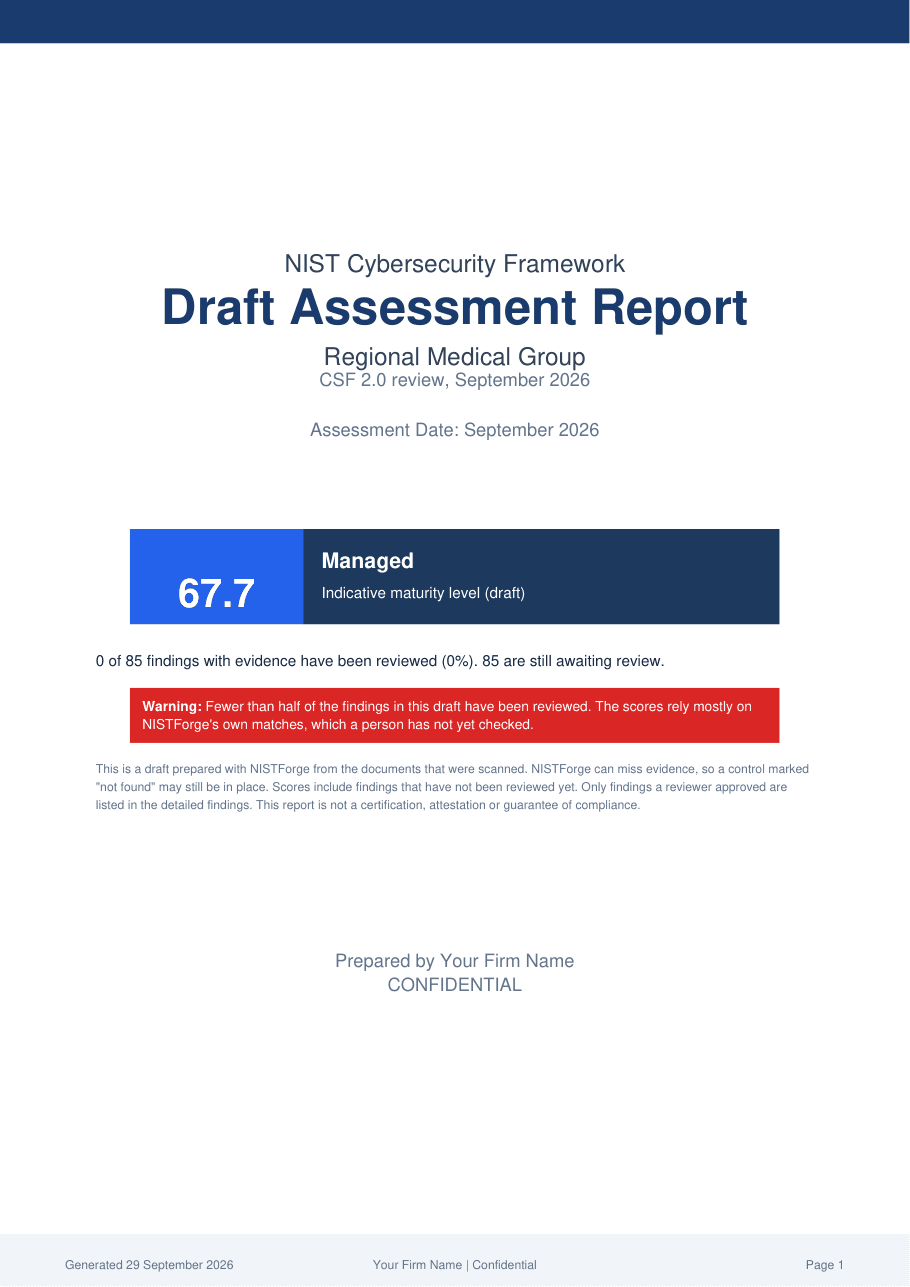
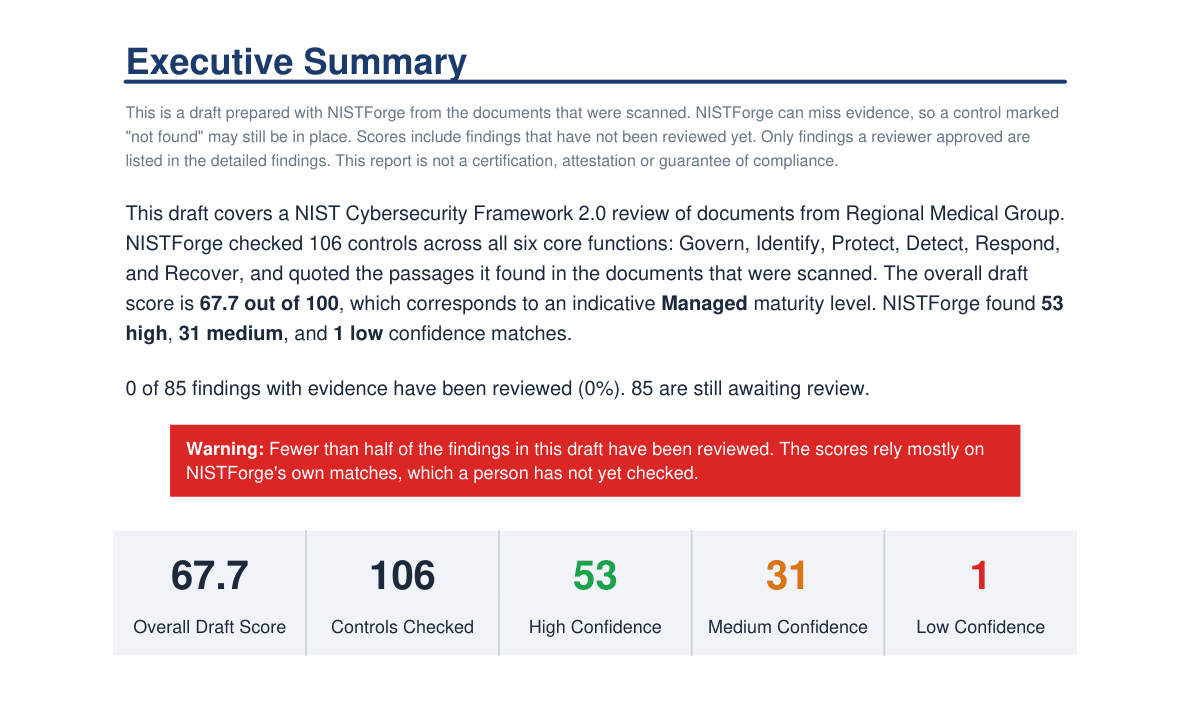
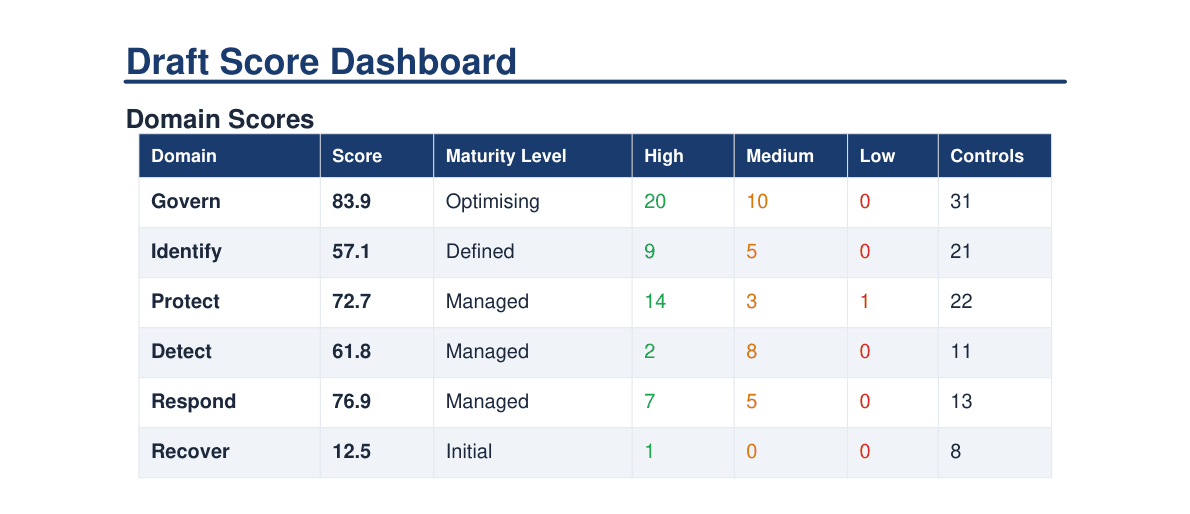
This is a draft report NISTForge produced from the policy folder of a fictional 100-person healthcare group. It has a cover page, an executive summary, draft scores for each CSF function, the detailed findings, a remediation roadmap and an audit trail. Your firm's name goes on the cover, not ours.
Regional Medical Group: a draft score of 67.7 across 106 subcategories, with 53 high confidence, 31 medium, 1 low and 21 not found in the documents scanned.
Four steps, and you do three of them
Point it at the documents
The client's shared drive, as it actually is. Policies, procedures, half-finished registers, a network diagram from 2024. No tidying required first.
It reads everything
Every document, checked against each of the 106 subcategories, on your own hardware. A full scan takes under an hour on recommended hardware, and you do not have to sit and watch it.
You review the findings
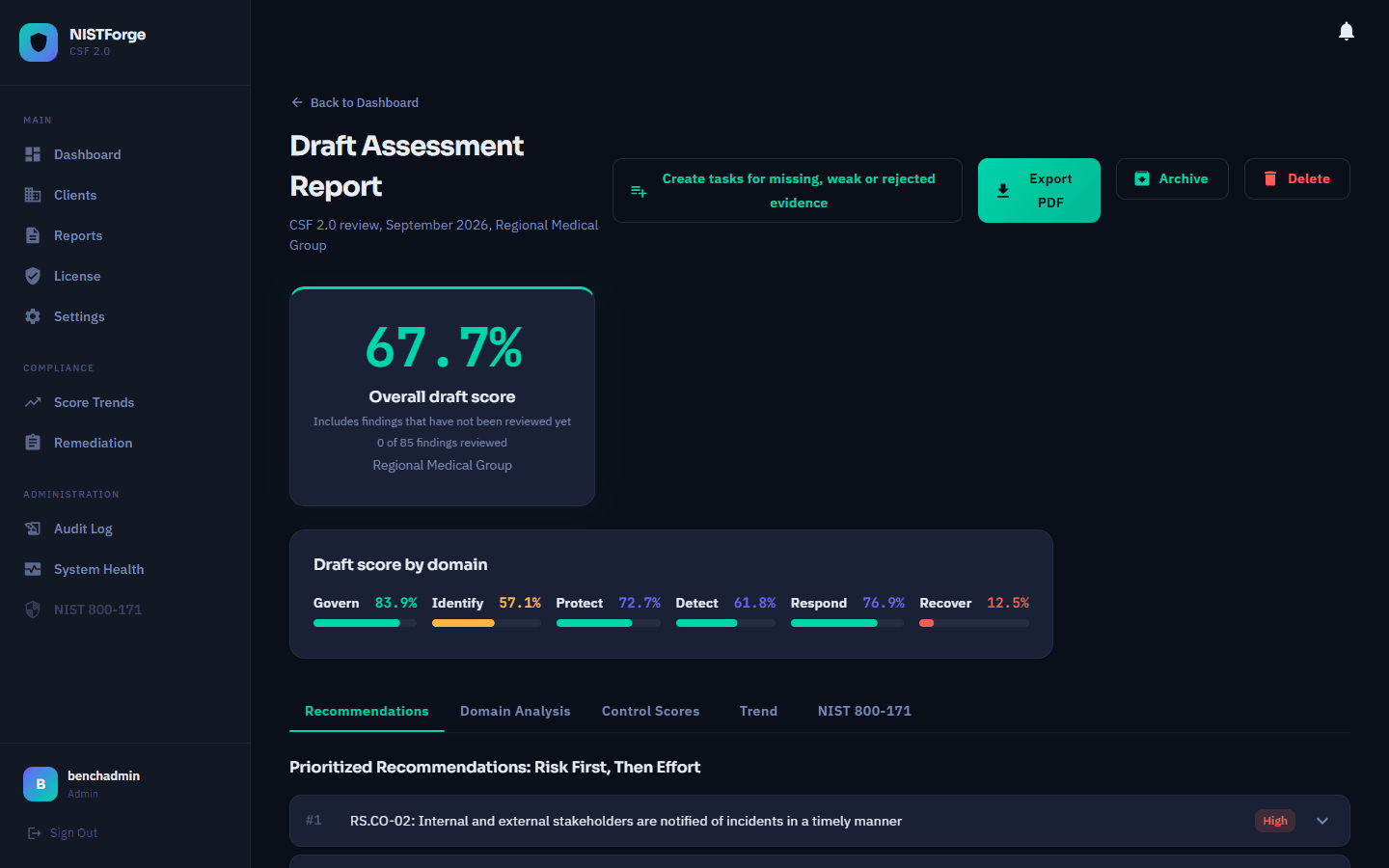
Each subcategory comes back with a proposed answer, a confidence rating, the source document and the exact passage the answer came from. You approve, edit or reject each one. This is the part that needs you.
Export the draft report
Choose the sections you want: an executive summary for the board, detailed findings for the client's IT lead, a remediation roadmap for the work you are about to quote.
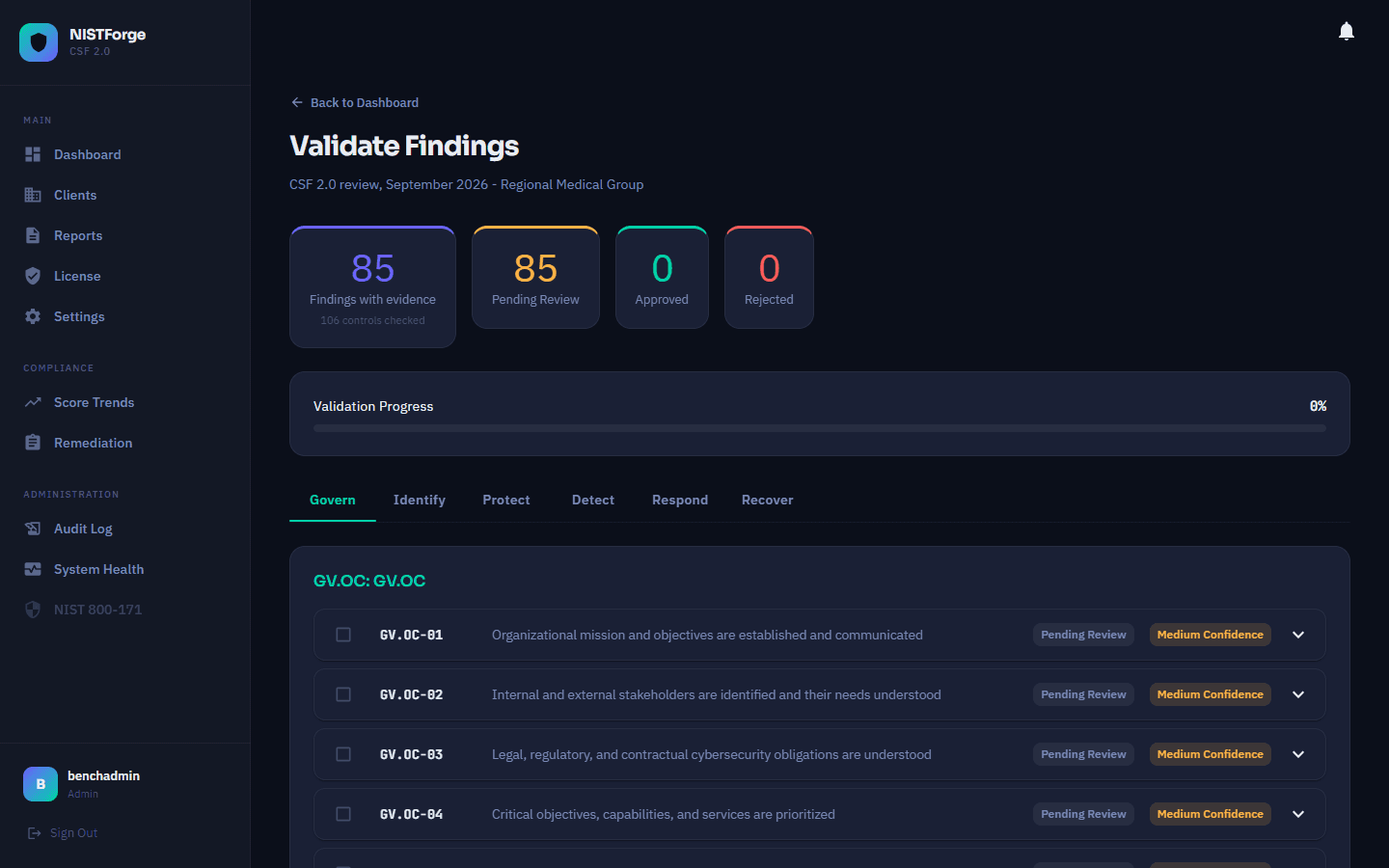
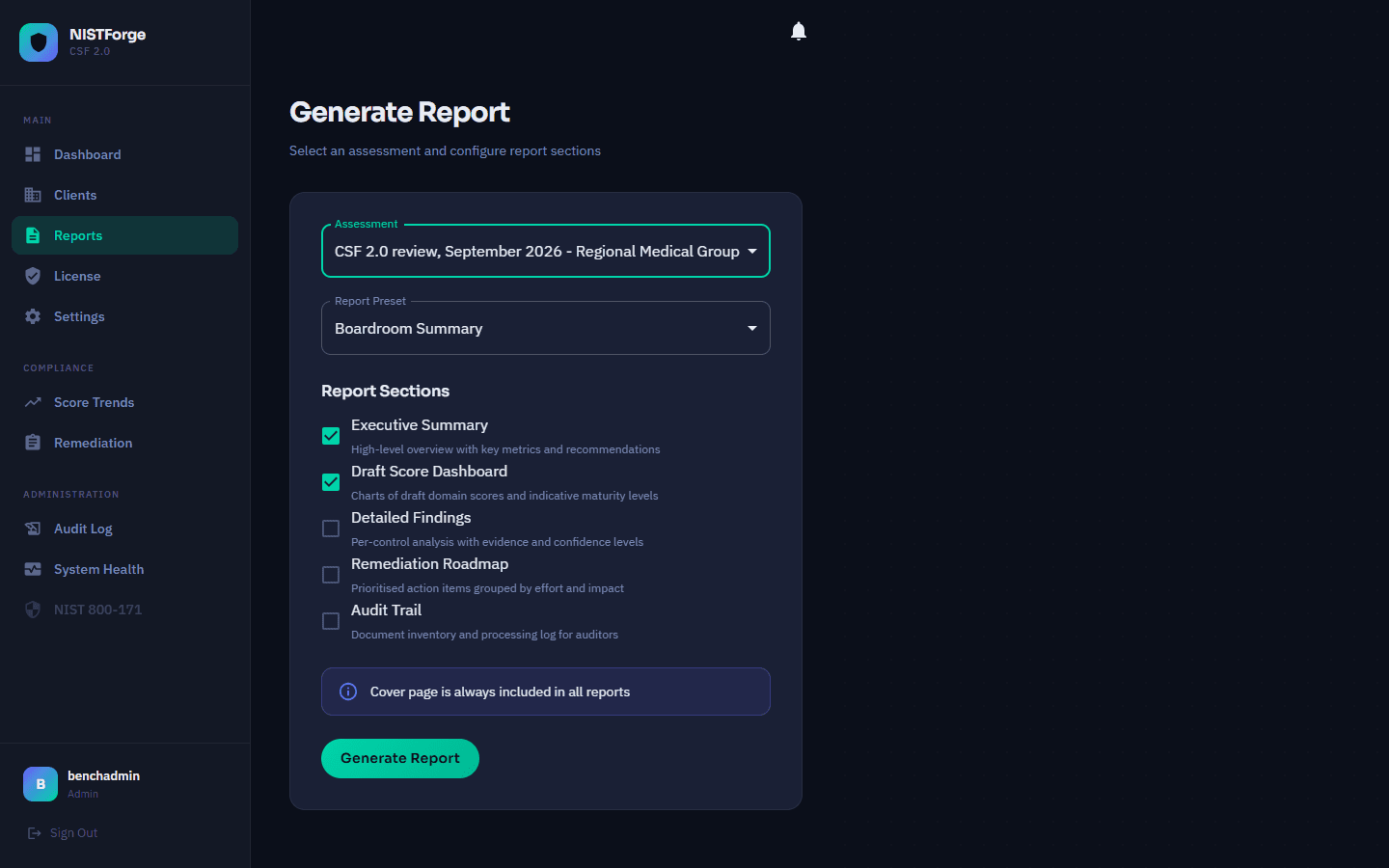
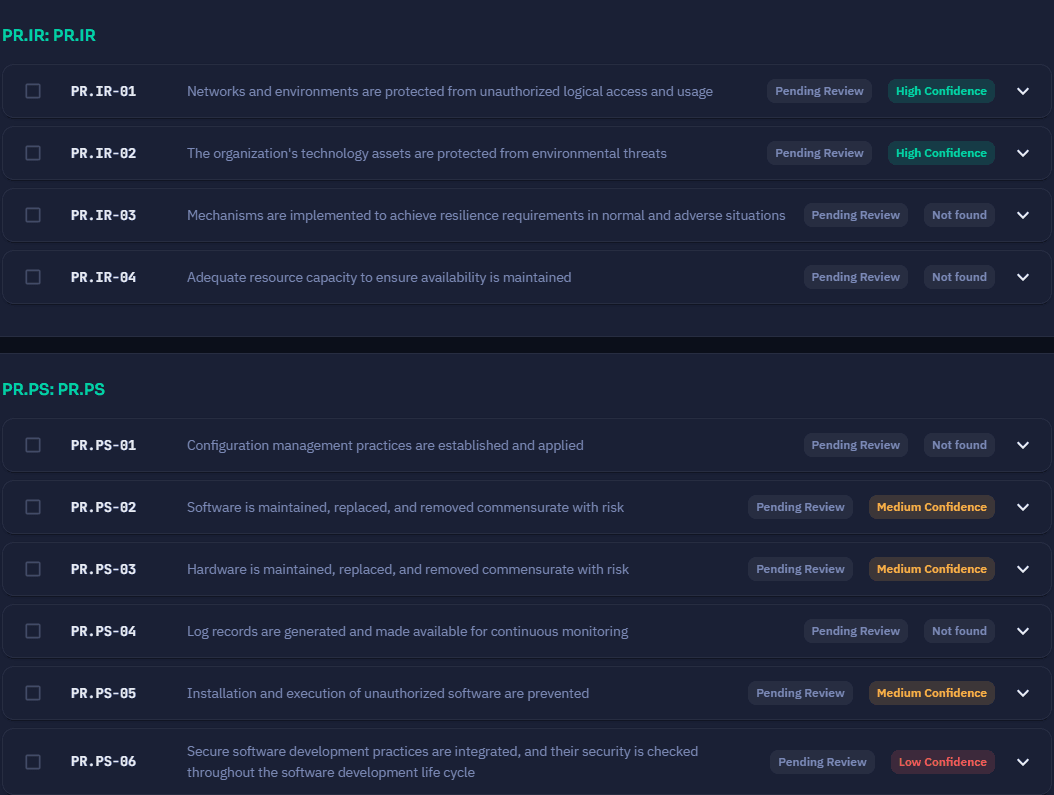
It shows its working, and it tells you what it could not find
Confidence tells you where to spend your attention.
- High confidence
- The evidence is explicit. A policy says what the subcategory asks for, in words that map cleanly. You read the quoted passage, agree and approve it.
- Medium confidence
- The evidence is partial. The policy mentions the topic without covering the requirement. This is where your judgement earns its fee. You edit the finding and add your own notes.
- Low confidence
- Something is there, but it is thin. Worth a question in your next interview.
- Not found in the documents scanned
- The tool found nothing for this subcategory. That does not mean the control is missing. It may be in a document you did not scan, or the tool may have missed it. These are the ones to check yourself.
Same 106 subcategories, very different results
These are the eight fictional companies we test NISTForge on, scanned by release 1.1.15. Their draft scores are far apart because their document folders are.
Summit Property Management gets 1.3 because its folder has almost nothing written down. A tool that gave every client a comfortable number would not be reading the documents.
| Company | Draft score | Band |
|---|---|---|
| Summit Property Management | 1.3 | Initial |
| TrueNorth Manufacturing | 9.1 | Initial |
| Nexus IT Solutions | 32.6 | Developing |
| CloudFirst Technologies | 43.2 | Defined |
| Pinnacle Accounting Partners | 49.1 | Defined |
| Bright Horizons Legal Group | 52.8 | Defined |
| Catalyst Digital Marketing | 63.0 | Managed |
| Regional Medical Group | 67.7 | Managed |
Bands: 0 to 19 Initial · 20 to 39 Developing · 40 to 59 Defined · 60 to 79 Managed · 80 to 100 Optimising. Draft scores include findings nobody has reviewed yet. Treat them as a starting point.
Your client's documents never leave your network
Most consultants cannot put a client's documents into somebody else's cloud, so MALTO Cyber did not build one.
NISTForge runs on your own hardware. The documents, the findings, the assessments and the reports stay there. There is no cloud copy, because there is no upload.
The only thing MALTO Cyber holds is billing metadata: who you are, which plan you are on and whether the subscription is current. No document ever crosses that line, because nothing is built to carry it.
Your licence key arrives by email a minute or so after checkout, and the installer asks for it. Our side never calls your instance. Your instance fetches three small files from us: an update notice, a list of revoked licences and a list of cancelled subscriptions. It checks each one at most once a day, and it keeps working if it cannot reach us.
When a client asks where their evidence is stored, you can name the machine it is on.
You can buy this without talking to anyone
Pricing is on the site and the checkout works. There is no sales call at any point, because everything a sales engineer would tell you is written down already.
If it does not suit you, cancel it from your account.
If you would rather just tell us whether this is useful, reply to the message that sent you here. One line is plenty.